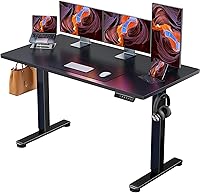
How to Fix LOC on a Standing Desk
Press and hold the lock button (often the up or down key) for about 3 to 5 seconds to clear LOC. If it stays locked, unplug the desk for a minute, plug it back in, then run a full down-travel reset to restore normal control.
On this page (8 sections)
- What does LOC mean on a standing desk controller?
- How do you clear a standing desk showing LOC?
- How do you reset the controller after a lock?
- Why does LOC keep coming back?
- Is LOC the same as an E07 error?
- How do you prevent LOC from locking your desk again?
- What should you check before calling support?
- How to fix LOC on a standing desk: the short version
Press and hold the lock button, usually the up or down key, for about 3 to 5 seconds to clear LOC. If the display stays locked, unplug the desk for a minute, plug it back in, and run a full down-travel reset.
Learning how to fix LOC on a standing desk starts with one fact: LOC is almost always a lock mode, not a fault. That means the fix is a button press or a control reset, not a repair.
This guide covers the lock key, the reset routine, and the wiring checks that stop the code coming back.
What does LOC mean on a standing desk controller?
LOC means the desk is in lock mode. The controller is ignoring key presses on purpose so the height stays fixed.
It's a child-lock or safety lock on most controllers, not an error code.
That matters because people sometimes treat LOC like a broken motor or a failed sensor. They unplug the desk, take the frame apart, or order a new control box when the desk is simply locked.
The display still shows the last height, and the up and down keys do nothing or only beep.
Different brands use different labels. Some show "LOC", some show a padlock icon, and some show "LOC" next to the height reading.
The behavior is the same: the panel is locked until you release it with a key press.
The lock exists so a child or a passerby can't change the height while you're working. If you share a home office with kids or pets, it's a useful feature.
The trouble starts when the lock is engaged by accident and the user doesn't know the release routine. Our guide to a standing desk for home office setup covers these panel quirks before you buy.
How do you clear a standing desk showing LOC?
Hold the lock key for 3 to 5 seconds until the code clears. On controllers without a dedicated lock key, hold the down key or press up and down together.
Start with the simplest routine. Look at the control panel for a lock icon or a key labeled "LOCK" or "LOC".
Press and hold it until the display changes or you hear a beep. Release and test the up key.
If there's no lock key, try these in order:
- Hold the down key for 5 seconds until LOC disappears.
- Press the up and down keys at the same time for 3 seconds.
- Press the memory key twice quickly.
Try one method at a time and test after each. A controller that ignores one routine often responds to another.
Many panels use a short press rather than a long hold, so if the long hold does nothing, tap the lock key once and test.
If the desk still won't move, the lock may be held by the control box rather than the panel. Move on to the power reset below.
How do you reset the controller after a lock?
Unplug the desk for about a minute, then plug it back in and wait for the display to settle. This clears the stored lock state on most control boxes.
Do the reset with the desk empty and the legs clear of obstacles. Pull the plug at the wall or the control box, not by tugging the cord.
Wait a full minute so the controller's memory drains.
When you plug it back in, the display may flash a height or a version number. Let it finish before pressing anything.
Then press the up key once to test. If LOC appears again without a key press, a button is likely stuck, which the next section covers.
Some controllers need a full down-travel reset after power returns. Hold the down key until the desk reaches its lowest point and stops.
Release, then press up to confirm normal travel. This routine also fixes desks that move slowly or stop short after a power cut.
Why does LOC keep coming back?
LOC returns when a key is stuck, the panel is damp, or the control box keeps the lock through sleep. Check the buttons and the cable connections first.
Crumbs, dust, and spills on a membrane panel can hold a key down. Wipe the panel with a dry cloth and press each key to feel whether one sticks.
A sticky key sends a constant lock signal, so the code reappears after every reset.
Damp is a common cause in home offices near kitchens or open windows. Keep drinks away from the panel and dry any spills straight away.
If the desk sits in a humid spot, a simple cover over the control box helps.
Check the cable where it enters the control box. A loose or pinched wire can make the controller reset and re-lock at random.
Push the connector in firmly and look for a kink in the cable run.
If a child or a pet can reach the panel, the lock is doing its job. In that case, leave it on and teach the household the release routine rather than disabling it.
Is LOC the same as an E07 error?
No. LOC is a lock state you can clear with a button press.
An E07 code is a fault the controller reports when it loses height data or hits a travel problem.
E07 usually points to a motor or sensor issue rather than a lock. The fix involves a reset routine and checking the leg connections.
If your display shows E07 instead of LOC, follow our separate walkthrough on how to fix an E07 error on a standing desk rather than repeating the lock steps here.
Knowing which code you have saves time. Lock codes clear in seconds.
Fault codes need the desk to re-learn its travel range. If you see both codes in turn, clear the fault first, then deal with the lock.
How do you prevent LOC from locking your desk again?
Set the lock only when you need it, and keep the panel clean and dry. Most accidental locks come from a stray press, not a fault.
A few habits cut the problem down:
- Wipe the control panel weekly with a dry cloth.
- Keep cups and plants off the desk edge above the controls.
- Run the down-travel reset after any power cut.
- Check the panel after cleaning or moving the desk.
If the desk is shared with children, the lock is a feature, so keep it and show them the release routine. If it's a solo desk and the lock keeps engaging, look for a sticky key before blaming the controller.
Cable clutter near the control box also causes accidental presses and loose plugs. A tidy cable run under the desk reduces the chance of a cord pulling on the controller.
Our guide to how much does a standing desk weigh is useful if you plan to move the desk to a cleaner spot.
The Litwaro tray clamps to the desk edge and holds cords and power strips out of the way. It fits flat edge desks from 0.4 to 2.4 inches thick and carries about 15 lb.
Rubber pads protect the desktop from scratches.
The D-Line box holds a popular-sized power strip and excess cord, with three rear slots for cables in and out. It measures 16.5 by 6.5 by 5.25 inches.
Check your strip's size against those dimensions before buying.
What should you check before calling support?
Work through the button, power, and cable checks first, then note the exact code and model. Most LOC cases end at the first two steps.
Check these in order:
- The lock key or button combo for your controller.
- The power reset with a one-minute unplug.
- The down-travel reset after power returns.
- The panel for sticky keys or damp.
- The cable connection at the control box.
If LOC persists after all five, write down the controller model, the code shown, and what you already tried. That record helps support skip the basics.
Avoid opening the control box yourself, since mains voltage sits inside.
If you're still choosing a desk and want to avoid panel surprises, read what height should a standing desk be before you buy. A desk that fits your height needs less adjusting, so the lock matters less day to day.
A mat also helps if you stand for long stretches. The FEATOL mat is 0.9 inches thick with a non-slip base and beveled edges.
It suits standing desks, kitchen counters, and workbenches. Its PU leather top wipes clean with a damp cloth.
If the mat sits over the controller cable, lift it clear so the cord isn't pinched.
How to fix LOC on a standing desk: the short version
Clear LOC by holding the lock key for 3 to 5 seconds. If that fails, unplug for a minute and run a full down-travel reset.
A stuck key or a damp panel is the usual reason it comes back.
For most people, the button hold solves it on the first try. Keep the panel dry, keep cables tidy, and know the difference between a lock code and a fault code.
If LOC returns with no touch and the panel is clean, check the cable at the control box and contact the maker with your model details. A locked desk is rarely a broken desk.
Frequently asked questions
How long do I hold the button to clear a standing desk lock?
Hold the lock key or the down key for roughly 3 to 5 seconds until the display changes or beeps. Release when LOC disappears.
Some models use a short press instead, so try a quick press first if the long hold does nothing.
Will unplugging the desk clear a LOC code?
Unplugging for about a minute clears most locked states because the controller loses its stored mode. Plug it back in and wait for the display to settle, then press the up or down key to test.
If LOC returns, the lock is being re-engaged by a stuck button.
Why does LOC keep coming back after I clear it?
A stuck or damp key, a child pressing the panel, or a control box that keeps its lock setting through sleep will re-engage it. Check for crumbs or spills on the buttons and keep the control box dry.
If the code returns with no touch, inspect the wiring at the control box.