9 Best Standing Desks for Two Monitors (October 2026)
The best standing desks for two monitors include the ErGear 55 x 28 Electric Desk for compact rooms, the Furmax 55 Inch Electric Desk for shallow setups, and the VASAGLE 55 x 28 Electric Desk for deeper compact tops.
On this page (9 sections)
- How we chose standing desks for two monitors
- The best dual monitor standing desks
- What size standing desk works for two monitors?
- How deep should a dual monitor desk be?
- How do you choose a height range and presets?
- How much weight should a standing desk support?
- How should you set up a dual monitor standing desk?
- What mistakes make a two-monitor desk harder to use?
- Which dual monitor standing desk should you choose?
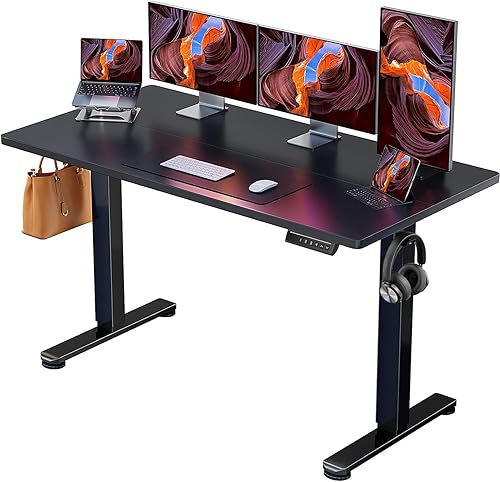
The ErGear 55 x 28 Electric Desk is a compact dual monitor standing desk with 4 memory presets and room for two screens when their stands fit the surface. If your monitors have broad bases or you keep other equipment nearby, the 60 in Huanuo or a 71 in desk gives you more working room.
Plan around the full setup, not just the monitor count. Your screens, stands or arm clamps, keyboard, mouse, laptop, speakers and cable route all use space.
Measure them before picking a desk width.
For room layout and ergonomics, see our standing desk home office buying guide and standing desk height guide. If you use an arm, check how to use a monitor arm on a standing desk before settling on a clamp location.
Our picks at a glance
-
1
-
2

-
3

- 4
 Best for tidy wiringCheck it
 - 5
 Best for added depthCheck it
 - 6
 Best for side workspaceCheck it
 - 7
 Best for taller usersCheck it
 - 8
 Check it
FlexiSpot 71 x 32 Electric Desk, Black
Best for deep worktops - 9
 Check it
Sanodesk 79 x 32 Electric Desk
Best for expansive offices
How we chose standing desks for two monitors
We compared desktop width and depth, height range, saved positions, stated support and cable features to find useful options for different two-screen layouts. A compact desk can suit a pared-back setup, while a wider or deeper surface leaves room for extra gear.
Desk size alone doesn’t tell you whether your monitors will fit well. A pair of large stands can use more surface than two smaller displays, and a room’s shape can make a 60 in desk more practical than a 71 in one.
| Product | Best for | Top size | Height range | Presets | Our score |
|---|---|---|---|---|---|
| ErGear 55 x 28 Electric Desk | compact rooms | 55.1 x 27.6 in | 28.35–46.46 in | 4 | 8.6 |
| Furmax 55 Inch Electric Desk | shallow setups | 55 x 24 in | 28.7–46.4 in | 1 or 2 memory keys | 8.4 |
| VASAGLE 55 x 28 Electric Desk | deeper compact tops | 55.1 x 27.6 in | 28.3–47.2 in | 4 | 8.3 |
| Huuger 55 x 28 Electric Desk | tidy wiring | 55 x 27.6 in | 28.3–46.5 in | 3 | 8.1 |
| Huanuo 60 x 30 Electric Desk | added depth | 60 x 30 in | 27.9–46.5 in | 8.0 | |
| Huanuo 71 x 30 Electric Desk | side workspace | 70.8 x 29.5 in | 27.9–46.5 in | 7.9 | |
| VIVO 71 x 30 Electric Desk | taller users | 70.9 x 29.5 in | 29.2–48.4 in | 7.8 | |
| FlexiSpot 71 x 32 Electric Desk, Black | deep worktops | 71 x 32 in | 28.9–46.5 in | 4 | 7.7 |
| Sanodesk 79 x 32 Electric Desk | expansive offices | 79 x 32 in | 28.9–46.5 in | 7.5 |
The best dual monitor standing desks
These dual monitor standing desks are ordered by score, but the right choice depends on your available space and how much equipment you keep within reach. Compare your measured setup with each desktop before choosing.
ErGear 55 x 28 Electric Desk: Best for compact rooms
- 55.1 x 27.6 in top
- 28.35–46.46 in height range
- 4 memory presets
- Steel frame
A 55 in wide desktop gives two monitors a compact shared surface, with 4 saved heights for quick changes.
Pros
- 4 memory presets
- 55 in wide surface
- Low-VOC materials
Cons
- Less width than 71 in and 79 in options
- Monitor fit depends on stand or arm footprint
ErGear’s 55.1 x 27.6 in desktop is a balanced size for two monitors when you want a moderate footprint. Its 28.35–46.46 in height range supports sitting and standing positions, and 4 memory presets make it easy to return to saved heights.
The steel frame uses alloy steel, and ErGear describes the desk as using low-VOC materials. Before deciding that 55 in is enough, check where both monitor bases will sit and how much width remains for other work items.
This is a sensible fit for a home office where the desk shares a room or wall with other furniture. It can also work for a focused two-screen setup that uses a separate storage unit instead of keeping every accessory on the desktop.
Skip it if you want both monitors, an open laptop and a printer on the surface at the same time. A 71 in top gives more side-to-side room for that kind of layout.
Choose it for a compact room and a regular sit-stand routine. Measure wide monitor feet first, because they can take up most of the open space between the desk edges.
Furmax 55 Inch Electric Desk: Best for shallow setups
- 55 x 24 in top
- 28.7–46.4 in height range
- 1 or 2 memory keys
- Cable hole
This 55 in desk keeps the footprint narrower front to back, with a cable hole and memory controls.
Pros
- 55 in width
- Memory height control
- Cable hole
Cons
- 24 in depth
- Desktop is made of two spliced boards
The Furmax is 55 in wide and 24 in deep, so it takes up less front-to-back space than the deeper options. Its height range is 28.7–46.4 in, and its memory controls let you save 1 or 2 positions.
A cable hole provides a route for cords through the desktop. The top is made of two spliced boards, which Furmax says sit flat when installed properly.
This desk suits a room where depth is the main constraint and the monitors have compact stands. It can also suit someone who works with just the screens, keyboard and mouse on the surface, with documents and equipment stored elsewhere.
The trade-off is limited depth. A deep stand may leave little space between the screens and keyboard.
A laptop beside both monitors could make the 55 in width feel crowded. Measure the stand and keyboard together before choosing it.
Choose it for a shallow desk area and a simple two-screen layout. Skip it if you need generous front-to-back space for large stands or other gear.
VASAGLE 55 x 28 Electric Desk: Best for deeper compact tops
- 55.1 x 27.6 in top
- 28.3–47.2 in height range
- 4 memory presets
- Sedentary reminder
The nearly 28 in depth leaves more front-to-back room than a 24 in top, while 4 presets simplify height changes.
Pros
- 4 memory presets
- Nearly 28 in deep
- Sedentary reminder
Cons
- 55 in width may feel tight with large monitor stands
- Cable hole and two side hooks
VASAGLE combines a 55.1 in width with 27.6 in depth, giving a compact setup more front-to-back space than the Furmax. It adjusts from 28.3 to 47.2 in and has 4 saved presets.
The desk includes a sedentary reminder, one cable hole and two side hooks. VASAGLE states that it supports up to 154 lb, and its motor runs below 50 dB.
The extra depth helps if you want your keyboard in front of monitor stands without pushing it against the front edge. The 55 in width still requires careful planning if your screens are large or you want a laptop beside them.
This model may suit a compact home office where height reminders and simple accessory storage are useful. Its cable hole is a basic routing point, so plan the route from your devices to the desk before assembly.
Choose it for a deeper compact surface with saved heights. Skip it if your priority is abundant side-to-side space or an open area for additional equipment.
Huuger 55 x 28 Electric Desk: Best for tidy wiring
- 55 x 27.6 in top
- 28.3–46.5 in height range
- 3 presets
- Cable managers and 2 hooks
A 55 in top with 3 presets gives a compact two-screen starting point, and cable managers help organize desk wiring.
Pros
- Cable managers and 2 hooks
- 3 height presets
- 27.6 in depth
Cons
- Fewer presets than several other picks
- 55 in width limits extra workspace
Huuger’s 55 x 27.6 in top gives a compact two-screen setup more depth than the 24 in option. It adjusts from 28.3 to 46.5 in and has 3 height presets.
Cable managers and two hooks can help keep cords and small items organized. The steel frame has a T-shaped design, and Huuger states a support capacity of 220 lb; its keypad also includes anti-collision technology.
This is a practical choice when you want a smaller desk and built-in cable organization. Three presets can cover a sitting position, a standing position and one additional favorite height without adding much complexity to the routine.
The width remains the constraint. A pair of wide monitor stands can leave little room for a laptop or speakers, even though the depth provides more room in front of them.
Choose it when cable organization matters on a compact desk. Skip it if you regularly spread papers or extra devices beside both screens.
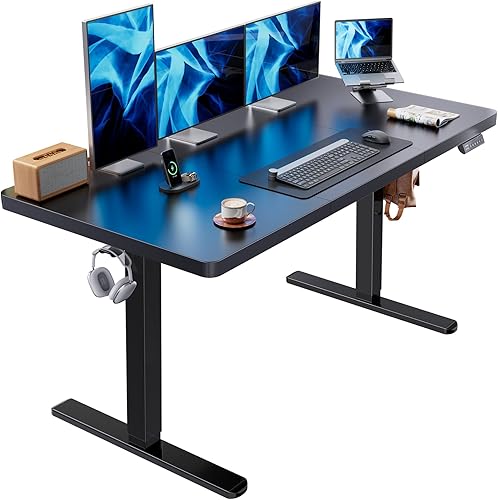
Huanuo 60 x 30 Electric Desk: Best for added depth
- 60 x 30 in top
- 27.9–46.5 in height range
- 4 memory presets
- 220 lb support
The 60 x 30 in surface adds room for two displays, a laptop or printer, and other work items without moving to a 71 in desk.
Pros
- 30 in depth
- 4 memory presets
- Cable tray and 2 hooks
Cons
- Top and frame may arrive in separate packages
- Wider footprint than 55 in picks
The 60 x 30 in Huanuo adds both width and depth while staying shorter than the 71 in models. It adjusts from 27.9 to 46.5 in and includes 4 memory presets.
Huanuo states a support capacity of 220 lb and uses a brushless motor. A cable tray and two hooks help organize cords and small accessories; the desktop and frame may arrive in separate packages.
The wider top gives monitor stands room without immediately taking over a wall. Thirty inches of depth also leaves space for a keyboard in front of the stands, with room for a laptop or printer if you plan the layout carefully.
This is a useful middle option for someone upgrading from a compact desk but who does not need a full 71 in surface. Measure the location and check the path to it, especially if the desktop and frame arrive separately.
Choose it for extra depth and a moderate increase in width. Skip it if your room cannot spare more width than a 55 in desk requires.
Huanuo 71 x 30 Electric Desk: Best for side workspace
- 70.8 x 29.5 in top
- 27.9–46.5 in height range
- 4 memory presets
- 220 lb support
The 71 x 30 in surface leaves more side-to-side space for two monitors and desk essentials, with 4 saved heights.
Pros
- Wide, 30 in deep surface
- 4 memory presets
- Cable tray and 2 hooks
Cons
- Requires more floor space than 55 in desks
- Top and frame may ship separately
Huanuo’s 70.8 x 29.5 in surface gives two monitors more side-to-side room and nearly 30 in of depth for a keyboard and desk essentials. It adjusts from 27.9 to 46.5 in and offers 4 memory presets.
The desk has a carbon steel frame, a cable tray and two hooks. Huanuo states a support capacity of 220 lb, and the desktop and frame may arrive in separate packages.
This width works well if you want the monitors centered with a laptop or writing space at one side. It is also easier to rearrange when you move between computer work and paper tasks, since the screens don’t have to occupy nearly the whole desk.
The cost of that flexibility is floor space. Measure the wall, chair position and clearance around the desk before choosing a top this wide.
If the desktop and frame come separately, allow for both packages during setup.
Choose it for a wide layout with space beside the monitors. Skip it if a 55 or 60 in desk already fits your complete setup.
VIVO 71 x 30 Electric Desk: Best for taller users
- 70.9 x 29.5 in top
- 29.2–48.4 in height range
- 4 memory presets
- 220 lb frame support
This VIVO gives two monitors a wide, deep desktop and a higher maximum setting than the 55 in options.
Pros
- Nearly 71 in wide
- 4 memory presets
- 48.4 in maximum height
Cons
- Top consists of 3 pieces
- Needs a larger floor area
VIVO’s 70.9 x 29.5 in top gives two monitors a broad working area. Its stated height range is 29.2–48.4 in, reaching a higher maximum setting than the other picks here.
The frame supports up to 220 lb, and the push-button controller saves 4 heights. The top is made of 3 pieces, so account for its section joins when placing monitor stands and other gear.
A nearly 71 in surface suits a room where you want both displays and space for a laptop, speakers or papers. The higher maximum height may also make this one worth comparing if lower maximum settings do not match your standing posture.
The 3-piece top has joins across its surface. Decide where your screens will sit and check the top layout against those positions before assembly.
Choose it for a broad desktop and a higher maximum setting. Skip it if you need a one-piece top or cannot fit its width into your room.
FlexiSpot 71 x 32 Electric Desk, Black: Best for deep worktops
- 71 x 32 in top
- 28.9–46.5 in height range
- 4 memory presets
- Cable organizer and hooks
The 32 in depth gives a dual monitor setup extra front-to-back room for a keyboard, laptop or other gear.
Pros
- 32 in depth
- 4 memory presets
- Cable organizer and hooks
Cons
- 32 in depth needs more room
- Height range varies between the listed specifications
FlexiSpot’s 71 x 32 in top gives two monitors extra room front to back. It adjusts from 28.9 to 46.5 in and has 4 memory presets.
A cable management organizer, cup holder and headphone hook are included. The additional depth can leave space for the keyboard in front of monitor stands, plus a laptop or other work items behind or beside it.
This desk suits someone who needs a broad worktop and has enough room for 32 in of depth. It may be useful when you share the desk with several devices or want to keep accessories close without using the monitor area.
Check your room measurements carefully. Depth affects the chair’s position and the distance to nearby walls or furniture, so a wide but shallow spot may not suit this top.
Choose it for a deep 71 in work surface and built-in accessory features. Skip it if 32 in of depth would crowd your chair or walkway.
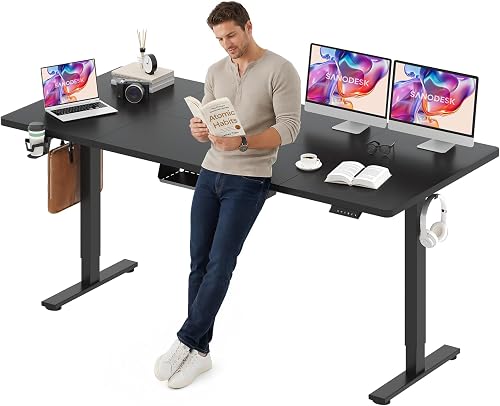
Sanodesk 79 x 32 Electric Desk: Best for expansive offices
- 79 x 32 in top
- 28.9–46.5 in height range
- 4 memory keys
- 154 lb support
The widest desk here provides ample room for two monitors, a laptop and a printer, if your room can fit its footprint.
Pros
- 79 in width
- 32 in depth
- 4 memory keys
Cons
- Largest footprint in this group
- Confirm the desktop orientation before choosing a space
SANODESK’s 79 x 32 in top is the broadest option here, with space for two monitors, a laptop and a printer. It has 4 memory keys and a stated 28.9–46.5 in height range.
SANODESK gives a 154 lb support limit and says the desk ships in two packages that may arrive separately. Compare the stated desktop orientation with your room before settling on a location.
This size suits a dedicated office where the desk can take a long wall and still leave room to pull back a chair. The width can also help if you want an open work area at the side of your monitors instead of stacking all your gear in front of them.
A 79 in desk can be a poor fit for a shared room, small office or narrow route into the workspace. Its 32 in depth calls for another careful measurement, since the top extends well into the room as well as across the wall.
Choose it for the broadest workstation and a room that can fit it. Skip it if a 60 or 71 in top already gives your screens and accessories enough space.
What size standing desk works for two monitors?
A 55 in desk can work for two monitors if their bases are compact and you don’t need much extra desktop space. A 60 in or 71 in top gives more room for a laptop, speakers or paperwork, while a 79 in desk suits a larger workstation.
Start by measuring the full width of both screens and stands, including any gap you want between them. Add the keyboard, mouse and other items you need at the same time.
That total is a better guide than monitor size alone.
Then compare your working layout with the clear desktop space, rather than measuring only from the outside edges. Frame components, cable holes and the placement of an arm clamp can affect where items fit.
A wider desk also needs more wall and floor space. Measure the room, allow room for your chair and check that the desk won’t block a door, drawer or walkway.
Our standing desk for laptop size guide covers layouts that combine a laptop with other screens.
How deep should a dual monitor desk be?
A desk around 28 to 30 in deep gives more front-to-back room than a 24 in surface. That can help when monitor stands take up space behind the keyboard.
Measure the distance from the back of each stand to the front edge of your keyboard. If they nearly touch, a deeper desk may make daily use more comfortable and leave room for other equipment.
The Furmax’s 24 in depth is the shallowest choice in this roundup, while several others are close to 28 in or deeper.
A monitor arm can move screens off their bases and free some desktop area, but its clamp needs a suitable edge and clearance underneath. Check the arm’s clamp range, desk edge and frame position before relying on one.
Our guide to using a monitor arm on a standing desk covers the fit checks.
Leave a route behind the desk for power and display cables. The cables need enough slack to move with the desktop without pulling taut.
See our standing desk cable management guide for ways to organize cords as the top moves.
How do you choose a height range and presets?
Choose a desk whose low and high settings let you put your elbows and screens in comfortable positions while sitting and standing. A memory preset can save each position, so you don’t have to search for the height every time you change posture.
The listed height ranges vary between models. Check the range against your own seated and standing setup, including the height of your chair, keyboard and any desktop accessories.
The standing height should put the keyboard near elbow level, while the monitors should sit at a viewing height that lets you look ahead rather than constantly down.
Preset counts differ, too. Four presets can be helpful if two people share a desk or you have several preferred positions.
Three may be plenty if you only save one sitting and one standing height.
Don’t choose based on the preset count alone; first confirm that the desk can reach your needed heights.
Use memory controls as a convenience, not as a reason to stay in one position all day. Set a reminder or routine to change positions at intervals that work for you, and keep the space around the desk clear before moving it.
How much weight should a standing desk support?
Choose a desk whose stated support capacity covers the monitors, stands, computer equipment and other items you expect to leave on the surface. Include the weight of any clamped monitor arms and the displays they hold.
Several desks here state capacities of 154 or 220 lb, while ErGear’s product details do not give a capacity. Don’t infer capacity from the width of the desktop, the material of the frame or the number of screens it can hold.
Make an equipment list before you buy. Add the monitor bases or arms, computer, speakers, laptop, dock and anything else that stays on the desk.
Leave room for equipment you may add later, and compare the total with the stated support limit.
An arm clamp also puts force at one part of the desktop edge. Check the arm’s fit requirements and the desk’s assembly instructions, rather than assuming a stated overall load limit guarantees that every clamp placement is suitable.
How should you set up a dual monitor standing desk?
Assemble the desk on a clear, level area and use the instructions for its specific frame and top. Before tightening everything, confirm which way the desktop faces and where cable holes, seams and the frame will sit.
For a 55 in top, arrange the monitor stands first and see how much room remains for your keyboard and mouse. On a larger surface, place the displays so you can sit centered in front of them without turning your shoulders repeatedly.
Put frequently used controls and accessories within easy reach.
Set the desk to your sitting height and check the chair, keyboard and monitor positions together. Then set a standing height and make small adjustments until your shoulders can relax and your wrists stay in a comfortable position.
Save each position if your desk includes memory presets.
Route power and display cables before regular use. Leave enough slack for the desktop to rise and lower, and keep cords away from pinch points and moving parts.
If you use a cable tray, place the power strip so you can reach its switch and plugs without tangling the monitor cables.
Clear obstacles from above and below the desk before changing height. Check that the desktop won’t hit shelves or windowsills and that cables won’t catch on a chair, wall or storage unit.
For a step-by-step room setup, see how to set up a standing desk in your home office.
What mistakes make a two-monitor desk harder to use?
The most common mistake is choosing a desk by width alone. A 55 in desktop may accommodate two small monitors but leave no space for a laptop or broad stands; a 71 in top may solve that problem while being too large for the room.
Another mistake is measuring the monitors but not their bases. Measure each stand at its widest point and include the space for cords, the keyboard and the mouse.
If you’re using an arm, check the clamp and frame location before assembly.
Don’t ignore the desk’s depth. A shallow top can push the keyboard toward the front edge or leave little space between it and the monitor stands.
If you spend hours at the desk, consider whether a deeper model will let you arrange the screen, keyboard and mouse without crowding.
Avoid leaving cables stretched tight when the desk is raised. A cable that looks tidy while the desktop is down may pull loose when it moves.
Test the full range of movement with your devices connected, then adjust cable slack and routing.
Finally, don’t assume the highest setting is automatically the right standing height. Compare the desk’s range with your own posture and equipment, and test your planned screen and keyboard positions during setup.
Read what height a standing desk should be if you need a height reference.
Which dual monitor standing desk should you choose?
Choose the ErGear 55 x 28 Electric Desk for a compact room and a moderate two-screen setup. Pick the Huanuo 60 x 30 Electric Desk if you want extra depth and a little more width, or the Huanuo 71 x 30 Electric Desk if you need space beside the monitors.
The VIVO 71 x 30 is worth comparing when the higher stated maximum height is useful. Choose the FlexiSpot 71 x 32 for a deep work surface with accessory features, and consider the SANODESK 79 x 32 when you need the most desktop space and have a room that can take it.
Before you decide, measure your complete setup, check the desk’s height range and support capacity, and plan where cables will travel as the surface moves. For more ways to compare the main features, use our height adjustable desk buying guide.
Our top 3 picks at a glance
-
1
-
2
-
3
Frequently asked questions
How wide should a standing desk be for two monitors?
A 55 in desk can fit two monitors, but the bases, screen sizes and extra gear determine how much usable space remains. A 60 in or 71 in top gives more room to spread out, while a 79 in desk suits a larger workstation.
Measure the monitor stands and leave space for your keyboard and mouse before you choose.
Is a 24 in deep desk enough for two monitors?
It can be enough if the screens and stands fit without pushing the keyboard too close to the front edge. A deeper top, such as 28 or 30 in, offers more front-to-back room for a keyboard and other items.
Check the depth of your stands or monitor arms as part of the layout.
Can I use monitor arms on a standing desk?
Often, if the desk edge, frame and clamp position work with the arm. Check the arm's clamp range and whether the desk has a crossbar or other part where the clamp needs to sit.
Our guide to using a monitor arm on a standing desk covers the fit checks.
Should I choose a single or dual motor standing desk?
Compare the frame's stated lifting capacity, stability details and your total equipment weight. The motor count isn't specified consistently for these models, so confirm the exact configuration for the model you're considering.
A wider desktop alone doesn't tell you how the frame will feel during height changes.


